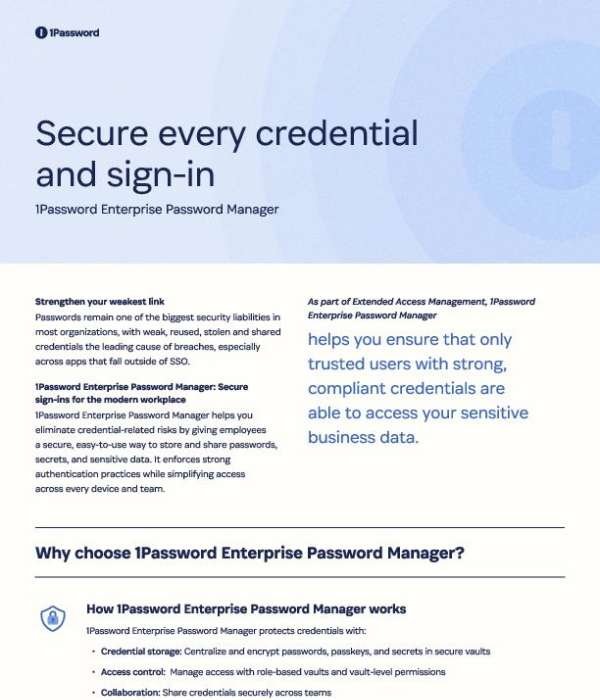
Secure every credential and sign-in
Close the credential gap your SSO can't cover. With 1Password Enterprise Password Manager, RetoMarket gives your organization a smarter way to secure every sign-in and reduce breach risk. To reduce breach risk and strengthen credential security across your organization, download the one-pager today.
What is 1Password Enterprise Password Manager?
1Password Enterprise Password Manager is a centralized way for your organization to store, manage, and share passwords, passkeys, and other sensitive credentials across teams and devices.
It’s designed to address one of the biggest security gaps in most companies: weak, reused, stolen, or shared passwords, especially for apps that sit outside of SSO coverage. Instead of relying on spreadsheets, ad-hoc sharing, or browser-saved passwords, employees use 1Password to:
- Save and encrypt passwords, passkeys, and secrets in secure vaults
- Access the credentials they need from any approved device
- Share logins, credit cards, SSH keys, and Wi‑Fi passwords securely with colleagues
For security teams, 1Password Enterprise Password Manager becomes part of an Extended Access Management strategy. It helps ensure that only trusted users with strong, compliant credentials can reach sensitive business data, while still keeping the sign-in experience straightforward for employees.
How does 1Password improve credential security and compliance?
1Password Enterprise Password Manager is built to reshape how your organization handles credentials by combining secure storage, access control, and continuous risk detection.
Key capabilities include:
- Centralized, encrypted credential storage
Passwords, passkeys, API keys, environment variables, OAuth tokens, service account credentials, and other secrets are stored in encrypted vaults instead of scattered across spreadsheets, notes, or code.
- Role-based access control
Access is managed through role-based vaults and vault-level permissions, so teams only see the credentials they need. This makes it easier to manage and audit who can access sensitive information.
- Risk detection and remediation
With real-time alerts and Watchtower insights, 1Password helps you identify weak, reused, or compromised credentials and guide users to fix them. This directly targets one of the leading causes of breaches.
- Policy enforcement without extra friction
You can enforce strong password policies and credential hygiene while still giving employees a simple, consistent sign-in experience across their devices.
Together, these capabilities help you move toward Zero Trust security and passwordless goals, while closing the gap for apps and systems that aren’t covered by SSO.
Who is 1Password Enterprise Password Manager best suited for?
1Password Enterprise Password Manager is a good fit for organizations that want to reimagine how they manage every credential and sign-in, especially when SSO doesn’t cover all applications.
It’s particularly useful if you:
- Are working toward passwordless authentication and a Zero Trust security model
- Rely on apps or internal tools that fall outside of SSO coverage
- Need to enforce strong password policies without adding user friction
- Want to eliminate weak, shared, or insecure credential practices
- Require secure storage and access for developer and machine credentials
Common use cases include:
- Protecting non-SSO apps and internal tools with strong credentials
- Securely sharing logins, credit cards, SSH keys, and Wi‑Fi passwords across teams
- Managing and auditing access to sensitive credentials using vault-based policies
- Storing API keys, environment variables, OAuth tokens, and service accounts across dev, test, QA, and production environments
- Guiding teams in adopting passkeys and passwordless best practices
For organizations that want to close their most critical credential-related security gaps while keeping the user experience manageable, 1Password Enterprise Password Manager provides a structured, policy-driven way to do it.




 Sign in with LinkedIn